Hyperliquid Mobile: Trade on Hyperliquid From Your Phone
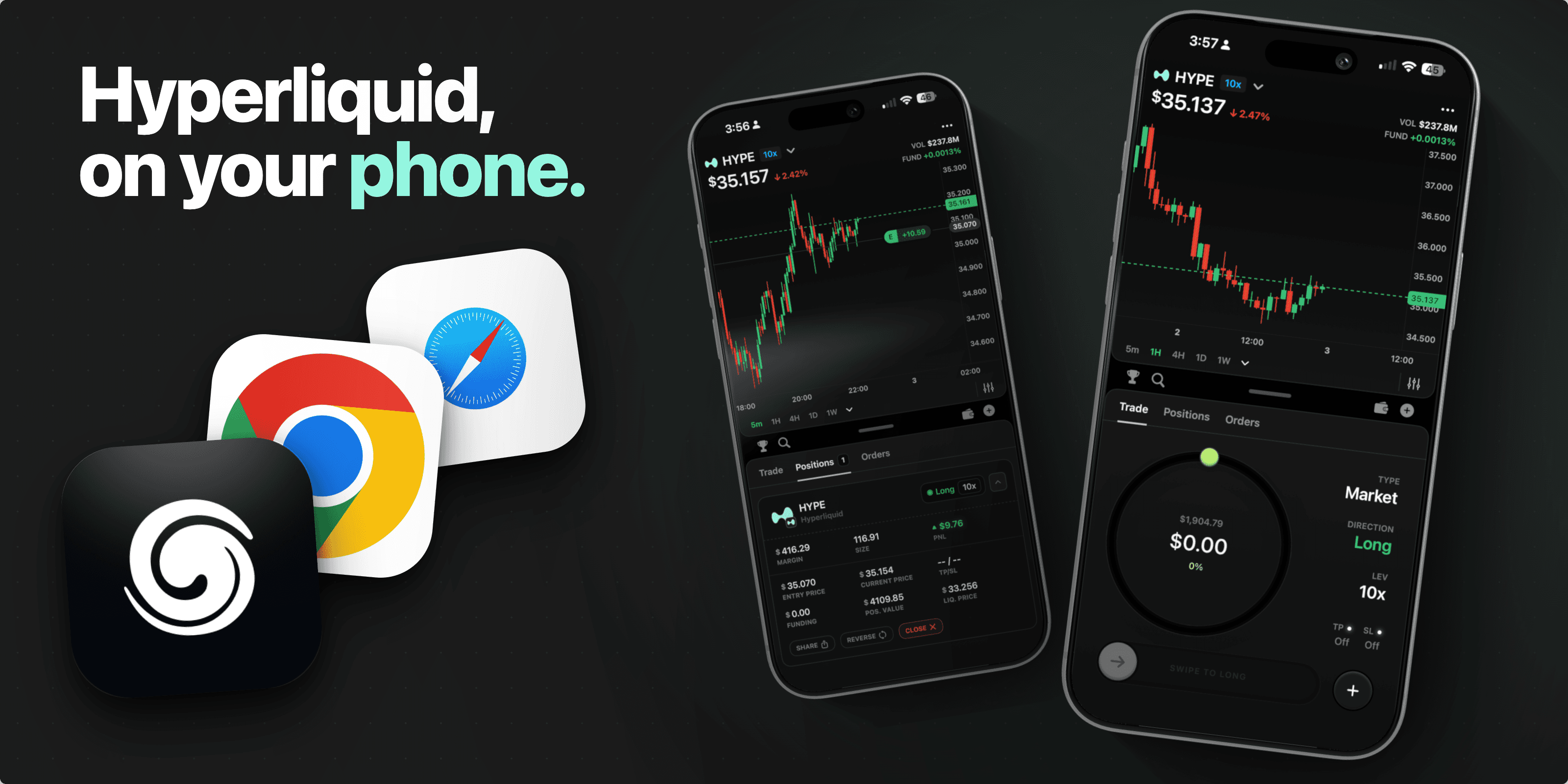
Hyperliquid can be used from a phone, but the mobile experience depends on how you access it.
Some traders use a mobile browser. Some use a wallet app or dApp browser. Some Android users may have access to Hyperliquid's own mobile testing path, depending on current availability. Splash Wallet is built for traders who want a native iOS experience for Hyperliquid instead of forcing a desktop-first workflow onto a phone.
Splash Wallet is available on the App Store as a native iOS app. It is built for Hyperliquid traders, is self-custodied, and is not currently available on Android.
The Main Ways To Use Hyperliquid From Mobile
There are a few different ways traders access Hyperliquid from mobile.
1. Mobile Browser Or PWA
The simplest option is opening Hyperliquid from a mobile browser and using the responsive web app. This can work well for checking markets, managing positions, or placing simple trades, but it still feels like a web product adapted to a smaller screen.
For iPhone users, this usually means using Safari and saving the page to the home screen if you want a more app-like flow.
2. Wallet App Or dApp Browser
Some traders use a wallet app with a built-in browser. This can make wallet connection and signing smoother than bouncing between a normal browser and a separate wallet.
The tradeoff is that the experience depends heavily on the wallet. Mobile signing, session persistence, browser behavior, and screen layout can vary.
3. Official Hyperliquid Mobile Availability
Hyperliquid's mobile availability has been changing. Recent public coverage has described an Android MVP or beta experience, but current functionality and access can change quickly.
Before installing anything that claims to be an official Hyperliquid app, check Hyperliquid's official channels and verify the developer, links, and listing. Mobile crypto apps are a common target for clones and phishing.
4. Third-Party Mobile Apps
There are also third-party apps and wallets that target Hyperliquid mobile traders. Some focus on trading. Some focus on wallet access. Some focus on alerts or portfolio workflows. There are many Hyperliquid mobile app options.
If you use any third-party tool, treat security as part of the product evaluation. Check who built it, what permissions it asks for, how signing works, and whether you are being asked to enter a seed phrase anywhere unexpected.
5. Splash Wallet
Splash Wallet is a native iOS app built for Hyperliquid traders.
It is designed for people who want mobile access without treating mobile as an afterthought. Splash is self-custodied, available on the App Store, and focused on the phone as the primary trading surface.
Why Mobile Hyperliquid Is Different
Trading from a phone is not just desktop trading on a smaller screen.
On mobile, every extra tap matters. Chart space is limited. Wallet signing needs to be clear. Position management needs to be fast. If you are reacting to a market move, switching between browser tabs, wallets, and confirmation screens can turn into real friction.
That is why mobile Hyperliquid search intent is so important. People are not only asking whether Hyperliquid technically works on a phone. They are asking which mobile setup is actually usable.
Where Splash Wallet Fits
Splash Wallet is built for Hyperliquid traders who want a native iOS app.
Use Splash if you want:
A mobile-first Hyperliquid experience.
A native iOS app available on the App Store.
A self-custodied wallet.
A product built around trading from a phone.
A cleaner path than forcing desktop-first tools into a mobile browser.
Splash is not currently available on Android.
iOS And Android
For iOS users, Splash Wallet is available on the App Store as a native iOS app.
For Android users, Splash Wallet is not currently available on Android. If you are looking for Android access to Hyperliquid, check Hyperliquid's official channels and be careful with third-party listings.
Mobile Security Checklist
Before trading Hyperliquid from mobile, use a basic safety checklist:
Use official links whenever possible.
Verify the app developer before installing anything.
Do not enter a seed phrase into unknown apps or websites.
Confirm the URL before connecting a wallet.
Keep your phone, wallet app, and browser updated.
Use biometric or passcode protection.
Start with small transfers or test transactions when using a new setup.
Mobile access is useful because it is fast and always nearby. That also means security mistakes can happen quickly. Treat installation, wallet connection, and signing as part of the trading workflow.
FAQ
Can you use Hyperliquid on mobile?
Yes. Hyperliquid can be accessed from mobile through browser-based flows, wallet browsers, and mobile app experiences. The best path depends on your device, wallet setup, and whether you want a native app experience.
Does Hyperliquid have a mobile app?
Hyperliquid mobile availability has changed over time, especially around Android testing. Check Hyperliquid's official channels for the current official app status before installing anything.
Is there a Hyperliquid iOS app?
Splash Wallet is a native iOS app built for Hyperliquid traders and is available on the App Store. Splash is not currently available on Android.
What is the best wallet for Hyperliquid on mobile?
The best wallet depends on what you need: browser access, wallet signing, alerts, portfolio management, or a native mobile trading experience. Splash Wallet is built for iOS users who want a self-custodied mobile experience for Hyperliquid.
Can I trade Hyperliquid perps from my phone?
Yes, mobile Hyperliquid workflows can support trading from a phone, depending on the app, browser, or wallet path you use. The important part is choosing a setup that makes signing, position management, and security clear on a small screen.
Is mobile Hyperliquid trading safe?
Mobile trading can be safe if you use trusted apps, verify links, protect your wallet, and avoid cloned apps or phishing flows. Never enter your seed phrase into an app or site you do not fully trust.
Is Splash Wallet available on Android?
No. Splash Wallet is not currently available on Android. Splash is available on the App Store as a native iOS app.