Hyperliquid Mobile App: iOS, Android, and Browser Options
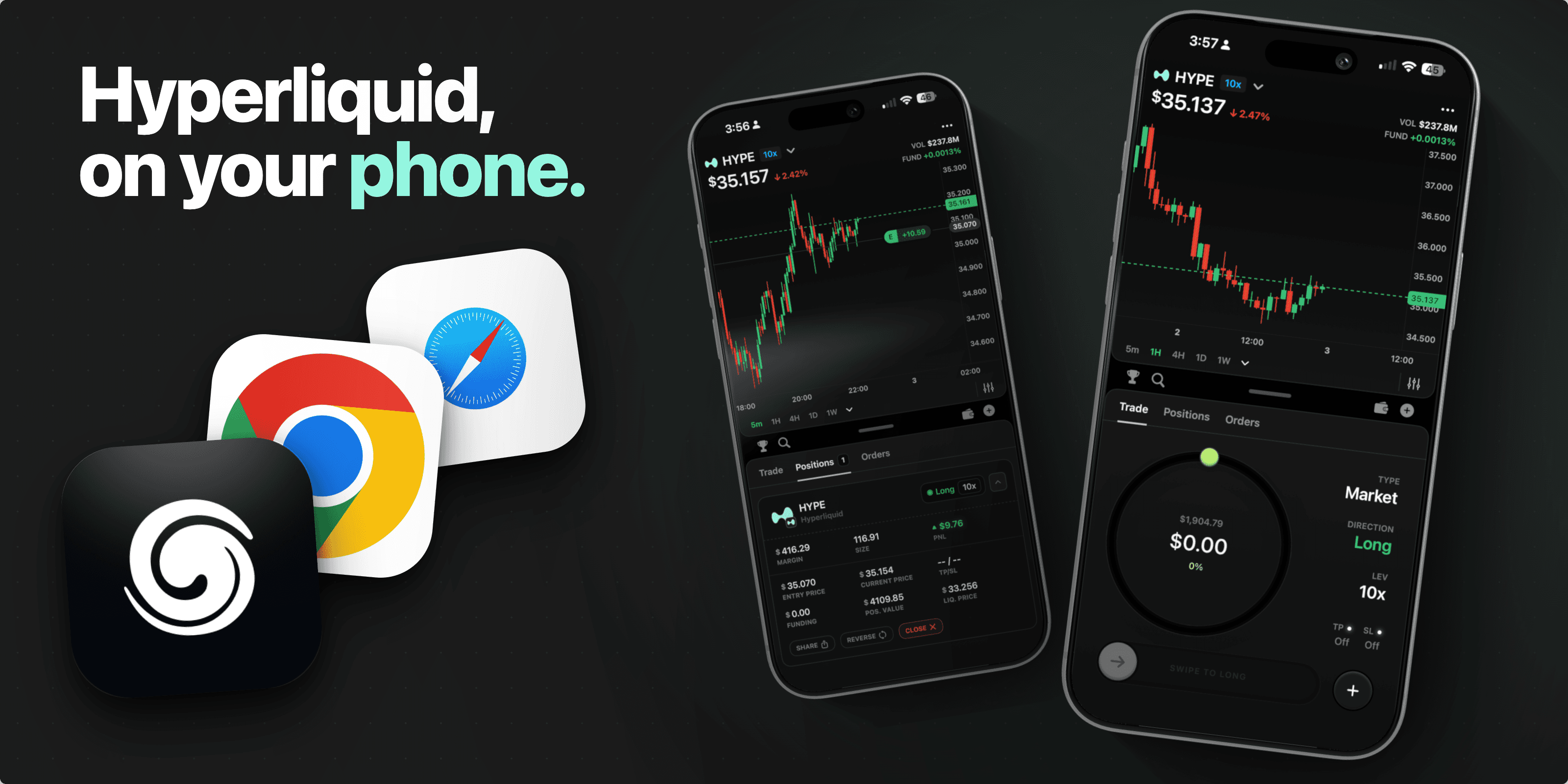
If you are looking for a Hyperliquid mobile app, there are a few different things you might mean.
You might be looking for an official Hyperliquid app. You might be trying to use Hyperliquid from a mobile browser. You might want a wallet with a built-in browser. Or you might want a native iOS app built around mobile Hyperliquid trading.
Splash Wallet is in that last category. Splash is a native iOS app, available on the App Store, built for Hyperliquid traders who want a mobile-first experience. It is a self-custody crypto wallet designed for Hyperliquid traders.
This guide compares the main Hyperliquid mobile app options and explains where Splash fits.
Quick Answer
Hyperliquid can be used from mobile, but there is not only one mobile path.
The main options are:
Using Hyperliquid through a mobile browser or PWA.
Opening Hyperliquid inside a wallet app or dApp browser.
Checking Hyperliquid's current official Android availability (no trading).
Using other third-party mobile apps or wallet.
Using Splash Wallet on iOS.
The best option depends on your device, custody preferences, and whether you want a generic web flow or a native mobile trading experience.
Hyperliquid Mobile App Options
Mobile Hyperliquid access is a category, not a single product. Before installing anything, it helps to separate the options.
1. Mobile Browser or PWA
The browser path is the most direct way to use Hyperliquid from a phone.
You open Hyperliquid from Safari, Chrome, or another mobile browser, connect a wallet, and use the mobile web interface. Some users also save the site to their home screen so it behaves more like an app.
This can work well if you want to check markets or use the standard Hyperliquid interface from a phone. The tradeoff is that it can still feel like a desktop product adapted to mobile. You may need to manage wallet connections, browser sessions, and signing flows across separate surfaces.
2. Wallet App or In-App Browser
Some mobile wallets include a dApp browser. This can make connection and signing smoother because your wallet and browser live inside the same app.
The experience depends heavily on the wallet. Some flows feel clean. Others create friction around session persistence, wallet connection, signing, or screen layout. For traders who use Hyperliquid often, those small pieces of friction can matter.
3. Official Hyperliquid Android Availability
Hyperliquid's mobile availability has been changing, especially around Android.
If you are looking for an official Hyperliquid Android app, check Hyperliquid's official channels before installing anything. Mobile crypto apps are a common target for clones, impersonation, and phishing. Do not rely only on a search result or an app-store listing name.
If you are on iPhone, verify the current iOS status before assuming there is an official Hyperliquid iOS app.
4. Third-Party Hyperliquid Apps
There are third-party products that target Hyperliquid mobile users. Some focus on trading interfaces. Some focus on bots, alerts, API-key workflows, or portfolio views. Some are wallets with Hyperliquid support.
These can be useful, but they should be evaluated carefully.
Before using a third-party mobile app, ask:
Who built it?
Is it available through an official app-store listing?
How does it connect to Hyperliquid?
What happens if you lose the device?
Can you verify the links from official sources?
Do not enter a seed phrase into an app or website you do not fully trust.
5. Splash Wallet for iOS
Splash Wallet is a native iOS app built for Hyperliquid traders.
It is for people who want a mobile-first trading wallet rather than a desktop-first workflow squeezed into a phone. Splash is a non-custodial wallet, available on the App Store, and built around the phone as the primary trading surface.
Splash is not currently available on Android.
Browser, Wallet Browser, Android App, or Splash?
Here is the simple comparison:
Option | Best For | Tradeoff |
|---|---|---|
Mobile browser or PWA | Direct access to Hyperliquid from a phone | Can feel web-first and session-dependent |
Wallet dApp browser | Keeping wallet and browser flow in one app | Experience depends on the wallet |
Official Android availability | Android users who want Hyperliquid's own mobile path | Availability and functionality can change |
Third-party mobile apps | Specialized features | Requires extra trust and security review |
Splash Wallet | iOS users who want a iPhone-native, self-custodied mobile trading experience built for Hyperliquid | Not currently available on Android |
Why Mobile Hyperliquid Trading Needs a Dedicated Experience
Trading on Hyperliquid from your phone is different from trading from a desktop.
On mobile, the screen is smaller. Signing needs to be clear. Position management needs to be fast. Market selection, chart reading, order review, and wallet confirmation all compete for limited space.
That is why the best mobile setup is not just the one that technically works. It is the one that makes the trading workflow clear enough to use under real conditions.
For Hyperliquid traders, mobile can be useful for:
Checking positions away from a desk.
Following markets in real time.
Responding to alerts or price moves.
Managing wallet access from a phone.
Keeping a trading workflow available without opening a laptop.
Where Splash Wallet Fits
Splash Wallet is built for iOS users who want a native mobile app experience for Hyperliquid.
Use Splash if you want:
A native iOS app.
A self-custodied wallet.
A mobile-first Hyperliquid experience.
A product built for Hyperliquid traders.
An App Store app instead of an APK or unknown download path.
Splash is not the right fit if you need Android today.
Security Checklist for Hyperliquid Mobile Apps
Before using any Hyperliquid mobile app, use a basic security checklist:
Start from official links whenever possible.
Verify the app developer before installing.
Be careful with apps that claim to be official but are not linked from official channels.
Do not enter a seed phrase into unknown apps or websites.
Understand whether the app uses wallet connection, local keys, API keys, or another signing method.
Check what permissions the app requests.
Use device passcode, Face ID, or Touch ID.
Keep your phone and wallet software updated.
Start small when testing a new mobile setup.
Mobile access is convenient because it is always nearby. That also means mistakes can happen quickly. Treat installation, wallet connection, and signing as part of the product decision.
iOS and Android
For iOS users, Splash Wallet is available on the App Store as a native iOS app.
For Android users, Splash Wallet is not currently available on Android. If you are looking for Android access to Hyperliquid, check Hyperliquid's official channels and verify any app before installing it.
FAQ
Does Hyperliquid have a mobile app?
Hyperliquid mobile availability has changed over time, especially around Android. Check Hyperliquid's official channels for the current official app status before installing anything that claims to be an official Hyperliquid app.
Is there a Hyperliquid iOS app?
Splash Wallet is a native iOS app built for Hyperliquid traders and is available on the App Store. Verify Hyperliquid's own current iOS status through official Hyperliquid channels before assuming any app is official.
Can I trade Hyperliquid from iPhone?
Yes, there are mobile workflows for using Hyperliquid from iPhone, including browser-based access, wallet browser flows, and native iOS apps built around Hyperliquid trading workflows. Splash Wallet is built for iOS users who want a native mobile experience.
What is the best Hyperliquid mobile app?
The best Hyperliquid mobile app depends on what you need. Some traders want a browser or PWA. Some want a wallet browser. Some want bots, alerts, or charting tools. iOS users who want a native, self-custodied app built for Hyperliquid traders should consider Splash Wallet.
Is Splash Wallet available on Android?
No. Splash Wallet is not currently available on Android. Splash is available on iOS through the App Store.
Is Splash Wallet self-custodied?
Yes. Splash Wallet is self-custodied.
Is Splash Wallet the official Hyperliquid app?
Splash Wallet is a native iOS app built for Hyperliquid traders. It is not the official Hyperliquid app. Hyperliquid is supported by many mobile apps and wallets. Hyperliquid can be accessed through browser, wallet, and third-party mobile workflows.